Short answer: The best CRM for a law firm is the one that answers a new lead within minutes, moves it through a pipeline that mirrors your intake (inquiry, qualified, booked, held, retained), runs the follow-up automatically for the people who do not book, and sends “retained” back to the ad platforms so your marketing gets smarter. For most small and mid-sized firms that means a marketing CRM in front of the practice management system, not the practice management system alone. Clio Grow, Lawmatics, HubSpot, and GoHighLevel can all do it when set up properly. Most are not set up properly, which is why “we have a CRM” and “we lose leads” are so often said in the same breath. This guide covers what a law firm CRM has to do, how the main options compare, and the setup that turns leads into retained cases.
CRM vs. Practice Management Software
Law firms use two different systems and often confuse them. Practice management software (Clio Manage, MyCase, PracticePanther, Smokeball) runs the matter after the client signs: documents, deadlines, billing, trust accounting. A CRM runs everything before the client signs: capturing the inquiry, responding, qualifying, booking, following up, and reporting where the case came from. The practice management vendors have added intake tools (Clio Grow, MyCase’s intake forms) and there are legal-specific CRMs (Lawmatics, Law Ruler), and there are general marketing CRMs (HubSpot, GoHighLevel) that agencies configure for firms. The right question is not “which is best” but “which one does the six jobs below for my firm.”
I’m Ahmed Elmahdy, founder of Rocket Launch Media. We run paid acquisition and intake systems for immigration law firms, and we build most client pipelines on GoHighLevel, so read that as a disclosure. The six jobs and the setup below apply whichever tool you choose.
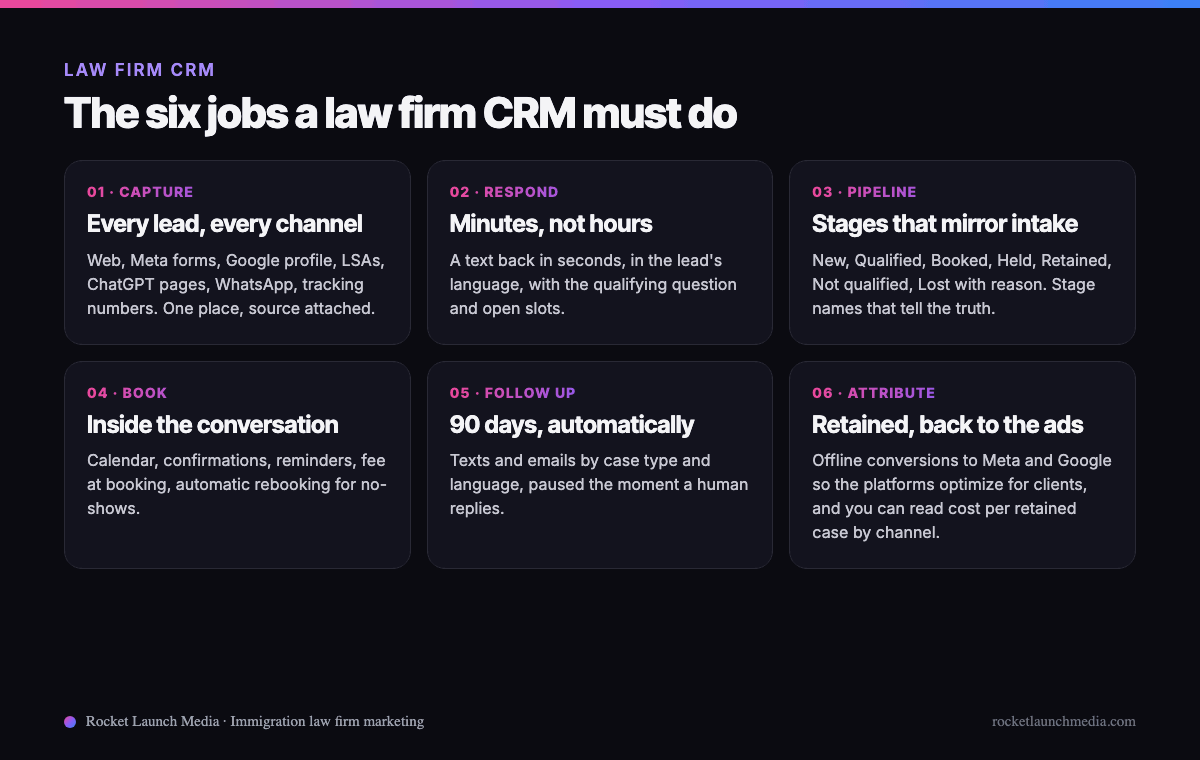
The Six Jobs a Law Firm CRM Must Do
1. Capture every lead from every channel
Website forms, Facebook and Instagram lead forms, Google Business Profile calls and messages, Local Services Ads leads, ChatGPT ad landing pages, WhatsApp, walk-ins, and referrals all land in one place, with the source attached. If the paralegal keeps Facebook leads in a spreadsheet and web leads in email, you do not have a CRM. Calls count too: every tracking number should create or update a contact automatically, with the recording attached.
2. Respond in minutes, not hours
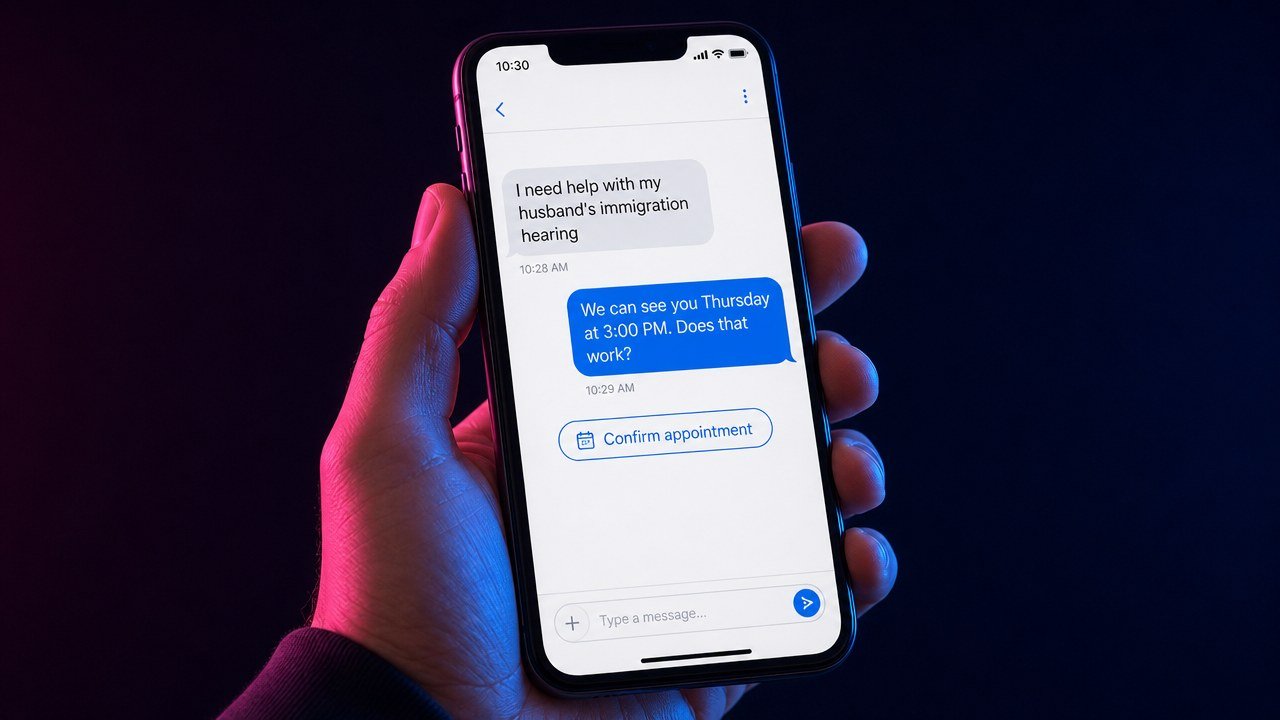
Speed to lead is the single biggest lever in legal intake. A person who filled out a form at 10pm is talking to three other firms by 10:15. The CRM should text back within seconds of any inquiry, in the language the lead used, ask the qualifying question, and offer open consultation slots, with a human or an AI assistant carrying the conversation until it is booked. In the Meta campaign in our case study, 535 leads produced 174 booked intro calls because that conversation started within seconds, not the next morning.
3. A pipeline that mirrors your intake
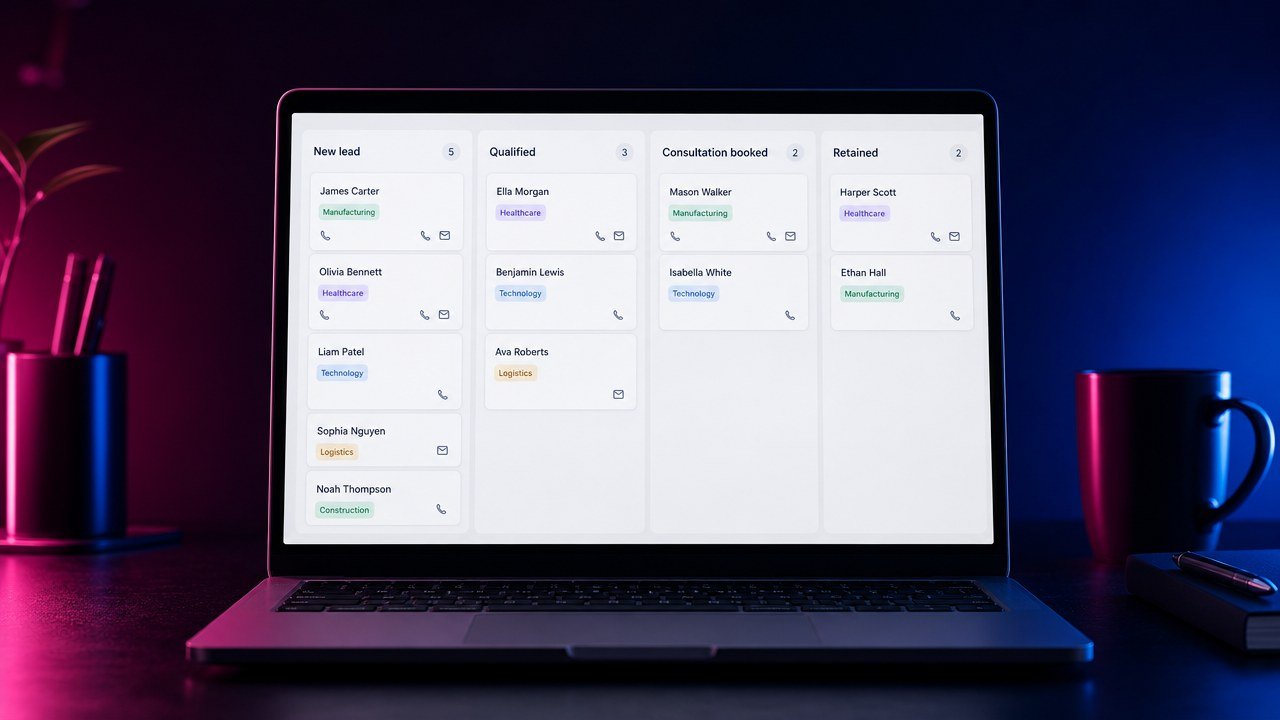
The stages should be the real steps a lead takes: New inquiry, Qualified, Consultation booked, Consultation held, Retained, plus Not qualified and Lost with a reason. Every card carries the case type, the language, the source, and the value. Two rules keep it honest. Every card moves forward or gets a reason for stopping, and nobody parks disqualified leads in a stage with “closed” in the name, because that stage’s total will end up in a report someone believes.
4. Booking inside the conversation
A calendar link that books a screening call or a paid consultation directly, with confirmations and reminders by text, and with the consultation fee collected at booking if you charge one. A booked consultation that nobody confirms becomes a no-show; a no-show with no automatic rebooking becomes a lost case.
5. Automatic follow-up for 90 days
Most inquiries do not book on the first contact. They are afraid, they are comparing, or they are waiting on a paycheck. The CRM should run a written sequence of texts and emails, by case type and language, for at least 90 days, that answers the questions they have and offers the next open slot. Ours is published free as the 33-touch follow-up sequence. The sequence pauses the moment a human replies, so nobody gets an automated “just checking in” after they said their hearing was moved.
6. Attribution back to the ad platforms
When a lead is marked Retained, the CRM should send that event back to Meta, Google, and any other platform as an offline conversion, matched on the lead’s contact details. That is how the platforms learn which ads produce clients rather than form fills, and it is how you can finally read cost per qualified lead, cost per held consultation, and cost per retained case by channel. Without this job, every dashboard you look at is measuring the wrong thing, which is the problem behind most of the agency relationships that go wrong.
How the Main Law Firm CRM Options Compare
Pricing for all of these changes often and depends on seats and add-ons, so check the vendor’s current page rather than a table that will be stale by the time you read it. The comparison below is about fit.
| Option | What it is | Strong at | Watch for |
|---|---|---|---|
| Clio Grow | Intake and CRM from Clio, pairs with Clio Manage | Intake forms, e-signature, a clean handoff into the matter once the client signs | Texting, ad-platform attribution, and multi-language automation are limited compared with marketing CRMs |
| Lawmatics | Legal-specific marketing and intake CRM | Automation, pipelines, and reporting built around law firm intake; integrates with practice management | Priced for firms that will use the automation; needs a real setup, not a login |
| MyCase | Practice management with intake tools | One system for firms that want intake and matters together | Speed-to-lead automation and attribution are the weak spots |
| HubSpot | General CRM with a free tier | Pipelines, email, reporting, huge integration ecosystem | Texting and calling need add-ons; the useful automation is in paid tiers; no legal-specific intake |
| GoHighLevel | Marketing CRM usually configured by an agency | Two-way texting, AI conversation and voice assistants, calendars, pipelines, Meta and Google offline conversions, all in one | Only as good as the build; a bare account is a blank page. Most firms get it through an agency, which ties the system to the relationship |
| Law Ruler | Legal intake CRM with built-in dialer and texting | High-volume intake teams, call-center style workflows | Heavier than a small immigration firm usually needs |
Our rule of thumb: if the firm has one or two attorneys and runs paid ads, a marketing CRM (GoHighLevel, Lawmatics, or HubSpot with the texting add-ons) in front of whatever practice management system the firm already likes. If the firm does not run ads and lives on referrals, Clio Grow or the intake tools inside the practice management system may be enough. What does not work is a practice management system alone with a “contact us” form feeding an inbox.
What We Learned Auditing a Real Pipeline
Earlier this year we audited a CRM that had received several hundred ad leads over two months. The automation was excellent: texts went out within seconds, an assistant booked consultations around the clock, reminders fired on schedule. The pipeline still leaked, and the reason was human, not software. Most booked consultations never had a person call at the appointed time. Leads who texted “when are you going to call me” waited days. Disqualified leads had been bulk-moved into a stage whose name suggested they were signed cases, so the reports flattered everyone. The lesson is the one we now put at the top of every CRM engagement: the software books the meeting; a human has to show up to it, and the stage names have to tell the truth. If your firm cannot staff the follow-up, buy less automation and more discipline, or hire the follow-up out.
The Setup Checklist
- Connect every source. Web forms, Meta lead forms, Google Business Profile, Local Services Ads, tracking numbers, WhatsApp, and the ChatGPT ad landing page.
- Write the pipeline in your intake’s words. New inquiry, Qualified, Booked, Held, Retained, Not qualified, Lost with reason. Nothing else.
- Build the instant reply in every language you serve, with the qualifying question and the booking link, and decide whether an AI assistant or a person carries the conversation after hours.
- Set the calendar with confirmations, reminders, fee collection if you charge, and automatic rebooking for no-shows.
- Load the 90-day follow-up sequence by case type, with a stop rule when a human replies.
- Assign an owner. One named person is responsible for every card moving daily. Unassigned pipelines rot.
- Turn on offline conversions to Meta and Google for Booked and Retained.
- Build the three-number report: cost per qualified lead, per held consultation, per retained case, by channel, reviewed monthly.
7 Mistakes That Make a Law Firm CRM Useless
- Buying the tool without building the process. An empty CRM is a subscription, not a system.
- Leads in three places. If one channel lives in a spreadsheet, the reports are fiction.
- Replying the next business day. Minutes or the lead is gone.
- Stage names that lie. “Closed” means signed and paid, or the number will mislead someone.
- Nobody owns the pipeline. Five people responsible means nobody is.
- English-only automation. The Spanish-speaking lead gets an English text and disappears.
- No offline conversions. The ad platforms keep optimizing for form fills instead of clients.
Frequently Asked Questions About Law Firm CRMs
What is the best CRM for a small law firm?
For a one- or two-attorney firm that runs ads, a marketing CRM with two-way texting, calendars, and offline conversions, such as GoHighLevel, Lawmatics, or HubSpot with its texting add-ons, in front of your existing practice management system. For a referral-only firm, the intake tools inside Clio or MyCase may be enough.
Is Clio a CRM?
Clio Manage is practice management. Clio Grow is Clio’s intake and CRM product. Grow handles forms, e-signature, and a basic pipeline well; it is weaker at instant texting, multi-language automation, and sending conversions back to ad platforms.
Do I need a CRM if I only get referrals?
You need somewhere every inquiry lands, a fast reply, and a follow-up sequence, because referred leads shop around too. A simple pipeline is enough; the attribution job matters less until you start paying for leads.
Can a CRM answer leads automatically?
Yes. Modern marketing CRMs include AI conversation assistants that text back in seconds, ask qualifying questions, and book consultations, and voice assistants that answer the phone after hours. They work when a human backs them up at the appointment and when the messages are written for your case types and languages.
How long does a law firm CRM setup take?
Two to four weeks for the pipeline, calendars, instant replies, and sequences, if the firm has decided its intake standard first. The tool is fast. The decisions are what take time.
Where to Go From Here
Write the intake standard first, using Box 5 of the one-page law firm marketing plan, then choose the tool that can enforce it. If you want to see what a working pipeline looks like behind a real campaign, read the Meta ads case study. If you would rather have us audit your current CRM and tell you where the leads are leaking, book a call. You will talk to me, not a sales rep.