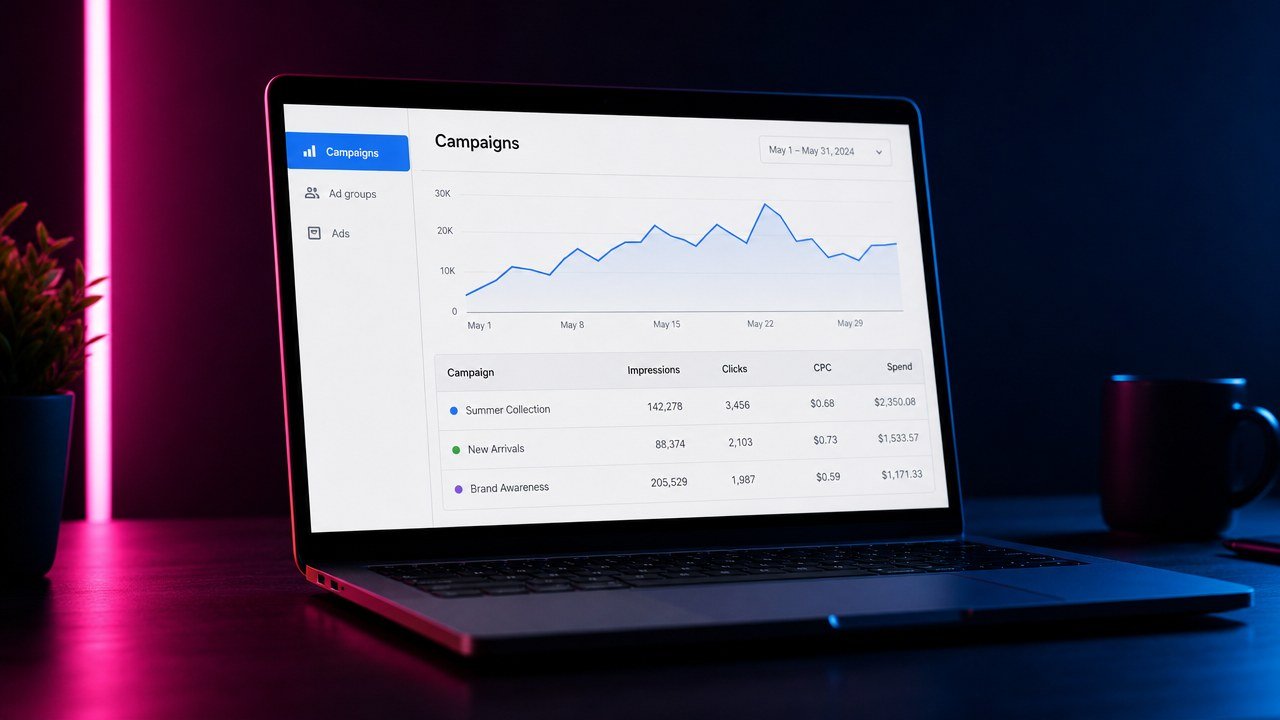
Short answer: OpenAI Ads Manager is the self-serve platform at ads.openai.com where advertisers buy the “Sponsored” cards that appear under ChatGPT answers. You sign up with a legal business name and tax ID, wait through a two-step verification that has been taking three weeks or more, add a card, install the OpenAI pixel, and build a campaign with the familiar campaign, ad group, and ad structure. There are no keywords: targeting is location plus a freeform “context hints” box that describes the conversations your ad belongs in. The minimum budget is $25 a day and bids under $3 trigger a warning that the ad may not deliver. This walkthrough goes screen by screen, with the settings a law firm should choose on each one and the gotchas that are not in OpenAI’s help pages.
What OpenAI Ads Manager Is, and Who Can Use It
OpenAI opened self-serve advertising to all advertisers in May 2026. Ads show to ChatGPT users on the Free and Go tiers who OpenAI believes are 18 or older, including logged-out sessions; paying Plus and Pro subscribers do not see them. Advertisers can target the US, UK, Canada, Australia, New Zealand, Japan, and South Korea. Legal services became an explicitly permitted category in the United States with the August 31, 2026 policy update, which names immigration as a permitted practice area and requires that the firm be licensed in the jurisdiction the ad is shown in. Legal advertising outside the US is still prohibited.
I’m Ahmed Elmahdy, founder of Rocket Launch Media. We run ChatGPT ads for immigration law firms alongside Meta and Google, and we wrote the step-by-step setup guide for law firms and the cost breakdown before this one. This article is narrower: it is the tour of the Ads Manager itself, for people who already know they want in and need to know what each screen is asking. The platform changes weekly, so treat the specifics as accurate at time of writing and verify inside your own account.
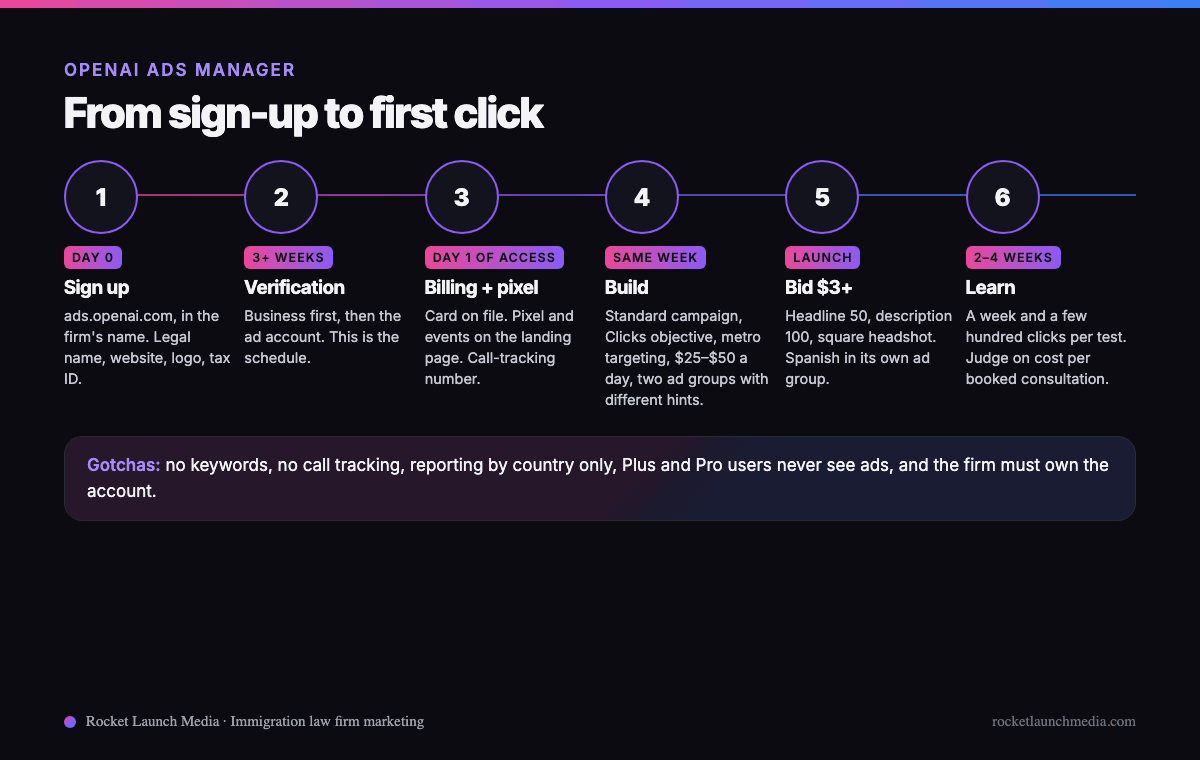
From Sign-Up to First Click: The Timeline
Screen 1: Business Profile and Verification
The first screens ask for the legal business name, website, logo, industry, and tax ID. Enter them exactly as they appear on your registration, because verification runs through a third-party identity provider that checks the business first and the ad account second. Early legal advertisers report three weeks or more for both steps. One procedural rule matters here: OpenAI says agencies should not create accounts on behalf of clients. The firm creates the account in its own name and adds the agency as a user afterward. That is also how every ad account you own should be set up, so the data, the history, and the billing stay with the firm.
Screen 2: Billing
A credit or debit card, added once the account is approved. Budgets are set per campaign, daily or total, with a $25 daily minimum, which works out to roughly $750 a month before management. There is no agency-side manager account yet, so each firm’s billing lives in its own account.
Screen 3: The Pixel and Conversions
Under the tracking section you get the OpenAI pixel, which works like the Google and Meta pixels: a base code for the landing page and events for the actions that matter. For a law firm those are consultation form submitted, calendar booking completed, and click-to-call tapped. Conversions then appear at the campaign, ad group, and ad level and can be bid toward. Two gaps to close on the same day. Add UTM parameters to every destination URL so the traffic shows up correctly in analytics and in your CRM, and put a dedicated call-tracking number on the ChatGPT landing page, because there is no native call tracking. If your intake runs on the phone, and most immigration intake does, a click that becomes a call is otherwise invisible.
Screen 4: Campaign
The structure is Campaign, then Ad group, then Ad, and the campaign screen holds the money and the geography.

| Setting | Options | What a law firm should choose |
|---|---|---|
| Campaign type | Standard, Product feed | Standard. Product feeds are for retailers. |
| Objective | Clicks, Conversions, Reach | Clicks to start, with a maximum cost per click. Switch to Conversions once the pixel has recorded enough bookings. Reach bills per thousand impressions and is wrong for intake. |
| Locations | Country, region, DMA, postal code, with exclusions | The metro plus the counties whose courts you appear in. Exclude states you are not licensed in. |
| Custom audiences | Upload first-party lists to target or exclude | Skip. The 25,000 matched-user minimum is out of reach for most firms. |
| Budget | Daily or total, $25 a day minimum | $25 to $50 a day to learn from. |
| Conversion event | Any pixel event | Attach the booking event even while bidding for clicks so the account starts learning. |
One reporting quirk shapes the structure: results can only be segmented by country, even though targeting goes down to a postal code. If you want to compare two metros, or English against Spanish, build separate campaigns.
Screen 5: Ad Group and Context Hints
The ad group screen is where the targeting lives, and it is one freeform box. There are no keywords, no age or gender targeting, and no in-market audiences. OpenAI’s guidance is to describe the conversations, topics, or keywords where your services may be relevant; the hints guide matching but are not exact-match rules, and you never see the conversation that triggered a click. In the most careful public test so far, an ad group loaded with a plain keyword-style list served more often, with a slightly higher click-through rate and lower cost per click, than an identical group loaded with full questions. One test is not a rule, so build two ad groups with the same ad and different hints and let your account decide.
| Ad group | Context hints |
|---|---|
| A: keyword-style | green card through marriage; I-130 processing time; adjustment of status timeline; work permit renewal; asylum lawyer near me; deportation defense attorney; notice to appear immigration court; abogado de inmigración cerca de mí |
| B: conversational | People in Columbus, Ohio asking how to bring a spouse or parent to the United States, whether they need a lawyer for an immigration court hearing or a notice to appear, how long a green card or work permit renewal takes, or what to do after a denial. Include questions asked in Spanish. |
| C: Spanish | Personas en Columbus, Ohio que preguntan cómo traer a su esposo o a sus padres a Estados Unidos, si necesitan un abogado para una audiencia de inmigración, cuánto tarda la residencia o el permiso de trabajo, o qué hacer después de una negación. |
Put the Spanish ad in its own ad group with Spanish hints and a Spanish landing page. The conversation reveals the language before you spend a cent, which is why Spanish-language marketing is standard on this channel, not an add-on.
Screen 6: The Ad

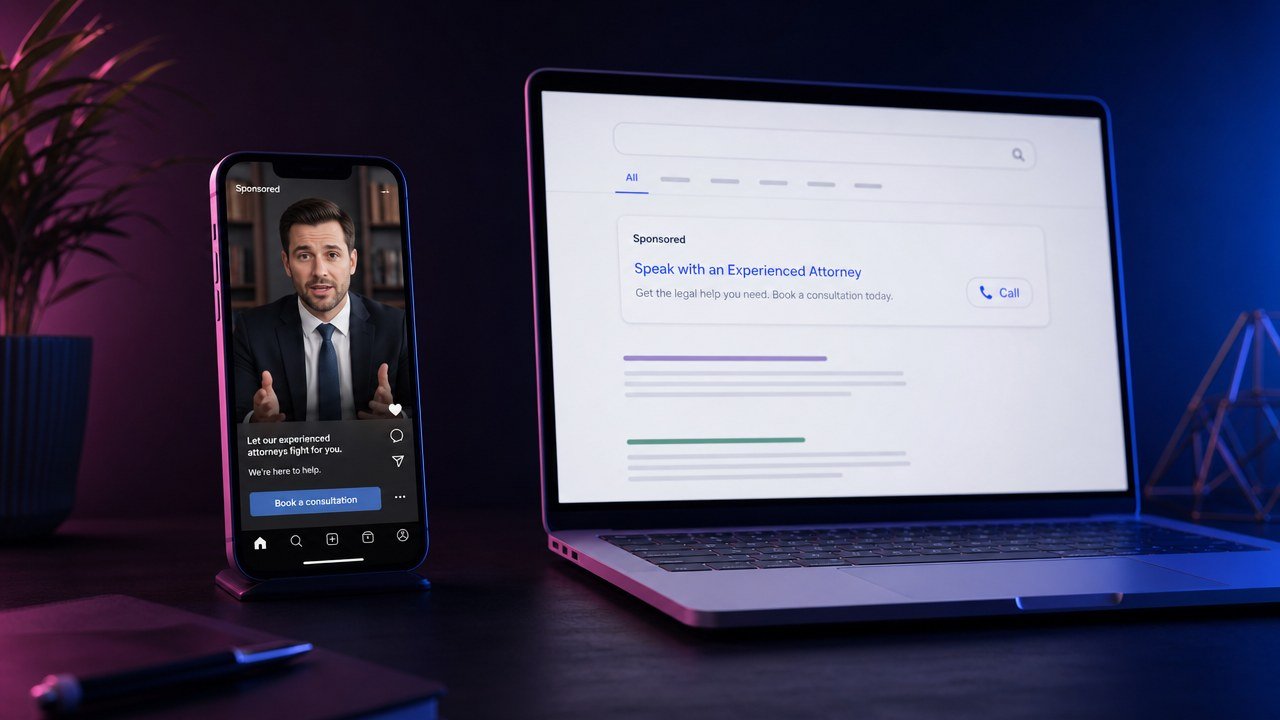
The ad screen asks for a headline of up to 50 characters, a description of up to 100, a square JPG or PNG of at least 256 pixels on a side, and a destination URL. Both text fields can be truncated, so the important words go first. Use the attorney’s headshot rather than a logo; trust is the entire purchase decision in legal and a logo is not a person. The ad appears at the bottom of the conversation with a Sponsored label. Keep the jurisdiction in the headline or the description so nobody in a state you are not licensed in mistakes the ad for an offer to represent them.
| Field | English example | Spanish example |
|---|---|---|
| Headline (50) | Immigration Attorney in Columbus, Ohio | Abogado de Inmigración en Columbus |
| Description (100) | Licensed in Ohio. Family petitions, asylum, removal defense. Book a consultation. | Peticiones familiares, asilo y defensa de deportación. Consulta en español. |
| Image | Attorney headshot, square | Same attorney, same photo |
| Destination | English landing page, tracking number, UTM tags | Spanish landing page, its own tracking number |
Screen 7: Bids and the Auction
With the Clicks objective you set a maximum cost per click. Set it at $3 or above: below that the platform warns the ad may not deliver, and early advertisers describe it as a fixed floor rather than a reading of competition. Ads are selected in a relevance-weighted second-price auction, which behaves like Google’s Ad Rank: the bid, the ad, and the landing page relevance all count, so a tight hint, a headline that names the practice area and the city, and a landing page about the same thing beat a higher bid on a generic page. Legal clicks are being reported at roughly $2 to $5, averaging around $3.40 in early accounts. Treat those as ranges, not quotes.
Screen 8: Reporting
In-platform you get impressions, clicks, spend, click-through rate, average cost per click, average cost per thousand impressions, and pixel conversions, at the campaign, ad group, and ad level, segmented by country only. You do not get the conversations, themes, or prompts that triggered the ad, and you cannot see which hint matched. Running ChatGPT ads feels like the early days of Google’s Performance Max: structure the account well and trust the system on the parts it hides. The report that matters lives outside the platform anyway: cost per booked consultation and cost per signed case by channel, which needs the tracking number from Screen 3 and a CRM that follows the lead to the retainer. That is the same discipline we apply to Google Ads and Facebook ads for lawyers.
The Gotchas Not in the Help Pages
- Verification is the schedule. Three weeks or more, business first, then the ad account. Apply before you need it.
- The firm owns the account. Agencies should not create it on your behalf. Add them as users.
- Country-level reporting only. Separate campaigns for anything you want to compare.
- No call tracking. A dedicated number on the landing page or the channel looks worse than it is.
- Plus and Pro users never see ads. That is fine for consumer legal; the person asking at 11pm whether her husband needs a lawyer is on the free tier.
- Ads and organic mentions are independent. OpenAI states that running ads has no effect on whether ChatGPT recommends your firm in normal answers. Organic visibility is a separate project; you can check whether ChatGPT knows your firm exists in a minute.
- Screenshots, dated. Keep a copy of every live ad. The platform changes and your bar may ask what ran.
- Bar rules apply in a chat window. No guarantees, no “specialist” without certification, “Attorney Advertising” labels where required, and you approve every ad before it runs.
Frequently Asked Questions About OpenAI Ads Manager
Where do I log in to OpenAI Ads Manager?
At ads.openai.com, with a business account created in the firm’s name. It is separate from a ChatGPT login.
How much does it cost to advertise on ChatGPT?
A $25 daily minimum, so roughly $750 a month, with legal clicks reported at about $2 to $5. Bids under $3 may not serve. Details in our ChatGPT ads cost guide.
Is there keyword targeting?
No. Targeting is location plus context hints, a freeform description of the conversations your ad belongs in, at the ad group level. Keyword-style lists and conversational descriptions both work; test both.
Can my agency set it up for me?
Your agency can build and run everything, but OpenAI asks that the firm create the account itself and add the agency as a user. Ten minutes of your time, and the account stays yours.
How long until I see results?
Three weeks or more to get verified, then clicks within days of launch. Give each hint and creative test a week and a few hundred clicks before judging it, and read cost per booked consultation, not click quality.
Want It Built for You?
We handle ChatGPT ads for immigration law firms end to end: the verification, the pixel and call tracking, the hints, creative in English and Spanish, and the intake behind the click, with the account in your name. The full setup logic is in the step-by-step guide. If you would rather ask questions first, book a call and I will tell you plainly what is live for immigration attorneys in your market.